If you just want to access the demo (where the CVE list is disabled), you can find it at sanca.io .
If you’re looking for the source code, it’s on GitHub .
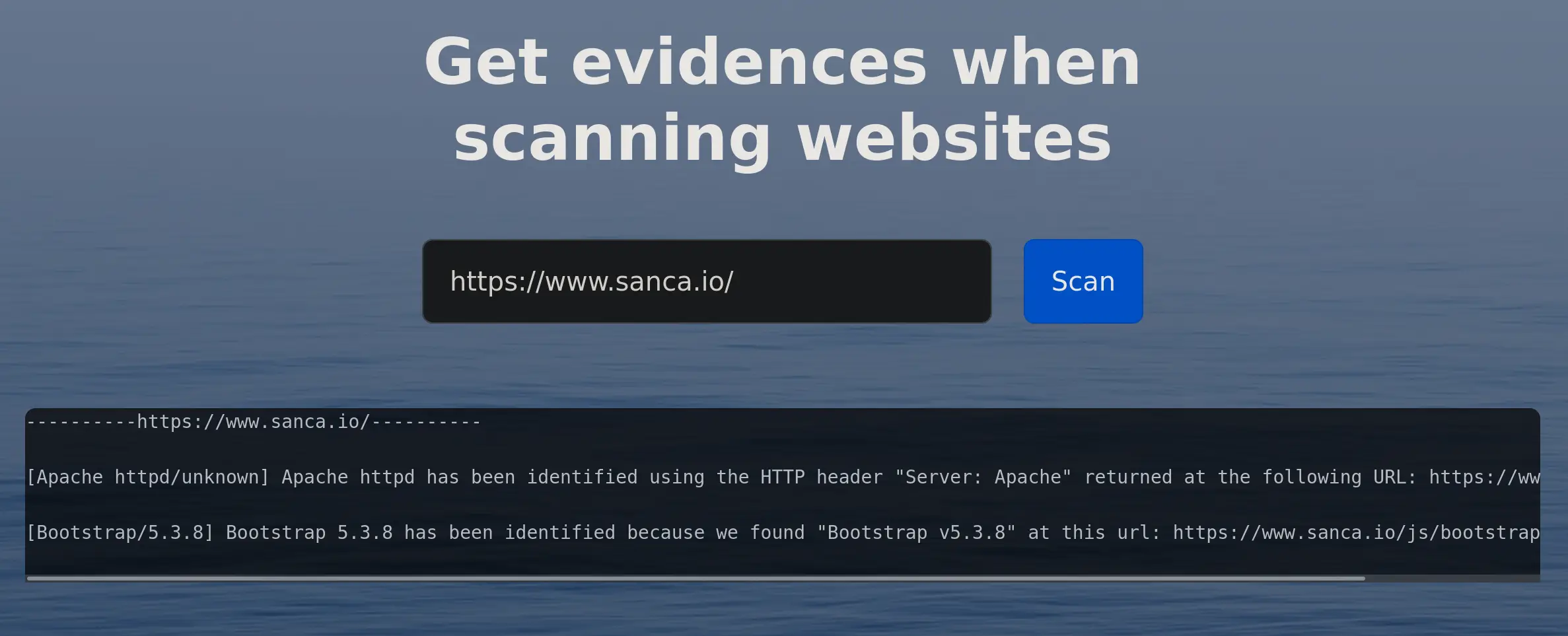
Large organisations often use EASM (External Attack Surface Management) platforms to monitor their servers and websites for vulnerabilities.
The ideal scenario is as follows:
- Every vulnerability identified by the platform is genuine, unique and clearly explained.
- The EASM automatically logs the vulnerabilities in the company’s ticketing system.
- Thanks to a comprehensive and up-to-date inventory of the company’s assets, each ticket is assigned to the right person, who can then manage and document the steps involved in rectifying it.
Now let’s turn to reality.
False positives, lack of evidence and duplicates
When working through the scan results provided by an EASM, you soon realise that the results are not actionable and that you need to go through each supposed vulnerability to check not only whether it is genuine, but also whether it has been reported multiple times.
Among the cases that crop up frequently are:
- A Windows vulnerability identified on a Linux server.
- A vulnerable version of Apache httpd reported several times (version < 2.4.60, version < 2.4.58, version 2.4.57, because the installed version is 2.4.54).
- An unmaintained version of jQuery detected in the middle of a minified JavaScript file, with absolutely no information on how it was identified.
With results like these, it is impossible to publish vulnerabilities directly
in the ticketing system, as this would overwhelm the team with false
positives and vulnerabilities that have already been dealt with.
We therefore need analysts to redo the EASM’s work: identifying
genuine vulnerabilities, removing duplicates, and creating tickets with
clear descriptions and remediation advice.
What a waste of time to have to redo the work of a tool we’re paying for.
My decision: to develop my solution
I’d had enough of wasting my time; I wanted reliable tools
so I could focus on the tasks where I add value.
Spending 10 minutes sifting through a 900-line minified JavaScript file
to identify a possible version of jQuery shouldn’t be my job.
I eventually took two weeks’ holiday in August to design a programme capable of identifying OpenSSH, jQuery, WordPress and PHP. I had a few key criteria that I was keen to adhere to:
- Every detection had to be accompanied by proof.
- I wanted to spend more time using it than debugging it.
- It had to be lightweight and fast.
I chose to develop Sanca in Rust.
Why Rust
I wanted something lightweight, so no Chromium or Puppeteer, which use up 2 GB of RAM.
It needed to be reliable and easy to maintain, so developing a programme in JavaScript or Python was out of the question.
The Rust language has the advantage of being rigorous; it allows you to detect many bugs during development rather than at runtime, so you can be relatively sure that it works. It was the ideal candidate, so that’s what I chose.
Today I have 15,000 lines of Rust code, including unit tests, and a robust architecture that allows me to scale the programme easily.
How Sanca works
Sanca supports two types of scan: TCP and HTTP. The TCP scan identifies
technologies such as OpenSSH, whilst the HTTP scan identifies
web servers, CMSs, as well as JavaScript technologies. This
latter category is the most time-consuming to identify manually.
Both scans use regular expressions.
The TCP scan is simple: it retrieves a programme’s banner and analyses it to identify what it is.
The HTTP scan is slightly more complex: it downloads the URL provided and can, if necessary, extract the URLs of JavaScript files contained within the HTML to download them as well. Depending on the technologies you are trying to identify, it can also add specific URLs, for example for Tomcat or phpMyAdmin. Downloads are carried out in parallel to save time. It then searches each file for the technologies you are trying to identify.
Regardless of the scan type, it can use the identified programmes and versions to call the NVD (NIST) API and retrieve the corresponding CVEs. The CVEs are cached to avoid having to call the API every time.
Here is an example:
./sanca --vuln-source nvd --vuln-cache files -s http -u https://www.my.website
Sanca software v1.6.1 - https://www.sanca.io

----------https://www.my.website----------

[Tomcat/9.0.117] Tomcat 9.0.117 has been identified by looking at its signature "Apache Tomcat/9.0.117" at this page: https://www.my.website/..;/..;/ | CVE: CVE-2026-41284, CVE-2026-41293, CVE-2026-42498, CVE-2026-43512, CVE-2026-43513, CVE-2026-43514, CVE-2026-43515, CVE-2026-50229, CVE-2026-53404, CVE-2026-53434, CVE-2026-55276, CVE-2026-55955, CVE-2026-55956, CVE-2026-59083, CVE-2026-59084, CVE-2026-66299

[Bootstrap/4.3.1] Bootstrap 4.3.1 has been identified because we found "Bootstrap v4.3.1" at this url: https://www.my.website/typo3temp/assets/compressed/merged-94ed12fb452ac918e98829275c23e618-8239108882700156f9f4733844759929.js

[jQuery/3.7.1] jQuery 3.7.1 has been identified because we found "jQuery v3.7.1" at this url: https://www.my.website/typo3temp/assets/compressed/merged-8cdece27f7e9695aabf1c8da17ed0932-3c08673a12d49a49782ee3191cd951f8.js

[phpMyAdmin/5.2.3] phpMyAdmin 5.2.3 has been identified because we found "5.2.3 (2025-10-07)" at this url: https://www.my.website/phpmyadmin/ChangeLog

[Highcharts/11.4.8] Highcharts 11.4.8 has been identified because we found "Highcharts[...]",n.version="11.4.8"" at this url: https://www.my.website/main-LCYC8A7P.js
We can see that Sanca has added the URL https://www.my.website/..;/..;/ , and found Tomcat.
The scan takes just a few seconds to run, and we get a list of the technologies detected. For each one, you can see at a glance where and how it was identified. You can then focus on the rest of the work.
The drawback is that the CVE database isn’t always accurate, but it would be very straightforward to implement another source.
What Sanca detects
Sanca detects 80 different technologies. I won’t provide an exhaustive list, but we can list various types:
- TCP technologies, such as OpenSSH, MySQL and ProFTPD.
- HTTP technologies, such as Tomcat, Nginx and PHP.
- And JavaScript technologies, such as Highcharts, jQuery and Bootstrap.
I haven’t implemented a scan for UDP technologies such as bind9, but thanks to a clean architecture, it wouldn’t be very complicated to add. Perhaps I’ll get round to it one day when I need it.
Integration into production
The example above shows the text output,
which is handy for manual use, but it is possible to take it
a step further by exporting to JSON or CSV.
This allows you to use another programme to bridge the gap between the
scan results and the ticketing system.
Exemple de scan HTTP
Here is an HTTP scan result exported as JSON.
{
  "findings": [
    {
      "evidence": "Apache Tomcat/9.0.117",
      "evidence_text": "Tomcat 9.0.117 has been identified by looking at its signature \"Apache Tomcat/9.0.117\" at this page: https://www.my.website/..;/..;/",
      "technology": "Tomcat",
      "url_of_finding": "https://www.my.website/..;/..;/",
      "version": "9.0.117",
      "vulnerabilities": [
        {
          "base_score": 7.5,
          "cve_id": "CVE-2026-41284",
          "cvss_version": "3.1"
        }
      ]
    }
  ],
  "ip_hostname": "www.my.website",
  "port": 443,
  "url": "https://www.my.website/auth/login"
}
All the important information is provided here; for each identified technology, you will find:
- The raw evidence.
- The text-based evidence, which is clearer for humans.
- The name of the identified technology and its version.
- The list of CVEs associated with this version, along with the CVSS score.
- The FQDN and port that were scanned.
- The URL used by Sanca to carry out its scan.
Example of a TCP scan
And here is the result of a TCP scan.
{
  "findings": [
    {
      "evidence": "SSH-2.0-OpenSSH_9.6p1 Ubuntu-3ubuntu13.18",
      "evidence_text": "The operating system Ubuntu 24.04 has been identified using the banner presented by OpenSSH: SSH-2.0-OpenSSH_9.6p1 Ubuntu-3ubuntu13.18",
      "technology": "Ubuntu",
      "url_of_finding": null,
      "version": "24.04",
      "vulnerabilities": []
    },
    {
      "evidence": "SSH-2.0-OpenSSH_9.6p[...] Ubuntu-3ubuntu13.18",
      "evidence_text": "OpenSSH 9.6p1 has been identified because we found \"SSH-2.0-OpenSSH_9.6p[...] Ubuntu-3ubuntu13.18\" in its banner",
      "technology": "OpenSSH",
      "url_of_finding": null,
      "version": "9.6p1",
      "vulnerabilities": [
        {
          "base_score": 9.3,
          "cve_id": "CVE-2008-3844",
          "cvss_version": "2"
        }
      ]
    }
  ],
  "ip_hostname": "www.my.website",
  "port": 22,
  "url": ""
}
This time, Sanca scanned port 22, on which OpenSSH is listening. Two important points here:
- The JSON structure is the same regardless of the type of scan, which makes it easier for another programme to process.
- By analysing the OpenSSH banner, Sanca deduced the operating system installed and its version.
With this simple scanner and a Python script that communicates with the ticketing system’s API, managing your organisation’s vulnerabilities becomes simpler and faster.
What I’ve learnt
This project was quite technical: cybersecurity, knowledge of technologies, Rust development, unit testing, clean architecture.
However, I realised that my value to this client did not stem
from my technical skills, even though they were important. My real value
lay in my ability to find solutions to the problems I encountered,
and to work better and faster.
Others just as competent as me could have carried on processing the results
from the EASM platform without complaining. I, on the other hand, improved the process; I
made it more reliable and much faster.
That year, we achieved 150 per cent of our targets for EASM vulnerabilities; this
is probably no coincidence.
Are your teams wasting time on repetitive security tasks? Find out more about my automation and audit services .